
How To Transfer eSIM From iPhone To Android
Table of Contents
- Can You Transfer An eSIM From iPhone To Android?
- How To Transfer eSIM From Android To iPhone?
- Conclusion: Navigating Your Connectivity Transition
With the rise of eSIM technology, a common question arises when you decide to switch devices: "What is the correct way to transfer my eSIM?"
This question becomes particularly complex when moving from an iPhone to an Android device, two distinct ecosystems with different approaches to mobile connectivity.
When physical SIM cards were the only option, we only had to remove them and insert them into the new phone. Now, we cannot simply do that since an eSIM is a digital profile linked to your device's hardware.
But do not worry. This guide provides a clear, step-by-step breakdown of the process, clarifying the challenges of transferring eSIM from iPhone to Android.
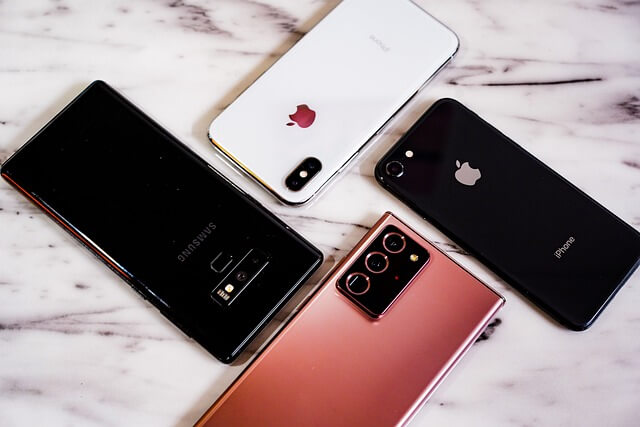
Can You Transfer An eSIM From iPhone To Android?
The simplest response is no. You cannot move an eSIM profile from an iPhone to an Android phone straight and automatically.
Usually, this issue causes confusion among users. After all, the concept of a digital SIM suggests a simple "move" or "copy-paste" action. However, this is not how the technology is designed to work.
Transferring an eSIM from an iPhone to an Android phone is not a simple move or copy action. eSIMs cannot be automatically transferred between disparate device platforms like Android and iOS.
Device manufacturers digitally embed and securely tie the eSIM to the unique hardware of your phone. When your eSIM provider activates your eSIM profile, a cryptographic key is generated and stored on the device's secure element. This makes the profile non-transferable between different devices, even if they are from the same manufacturer.
The process of how to transfer an eSIM to Android requires a change in approach. You should disable your old device's eSIM profile and then activate it on your new one.
This means you must contact your mobile eSIM provider or service provider to initiate the process. They hold the master key to your digital plan. Hence, they are the only ones who can deactivate your existing profile and issue a new one for your new Android device.
Commonly, they do this by providing a new QR code or activation link that you will use to install the profile on your new phone.
To “transfer” an eSIM from an iPhone to an Android, you first have to disable the eSIM from the iPhone. Then you will need to get a new QR code from your eSIM provider and activate it on the Android device.
How to transfer eSIM from iPhone to Samsung?
Are you looking to transfer your cellular plan from an iPhone's eSIM to a new Samsung device? It is a specific and common use case that illustrates the process of deactivation and reactivation.
We already know that a direct transfer is not possible. Therefore, you will need to follow these detailed steps to ensure a seamless transition. By doing so, you will ensure a quick and hassle-free transition of your mobile service.
- Contact your eSIM provider: Your first and most important step is to contact your eSIM provider. You can do it through their support line, a store visit, or their online portal. Regardless of the way, you must inform them that you are switching devices and need to move your eSIM.
- Request a new QR code: The eSIM provider will supply you with a new QR code or a link to activate your eSIM on the Samsung device. This new code is essential for the process. Besides, do not rely on old QR codes, as they are often single-use and cannot be activated again on a different device.
- Deactivate the eSIM on your iPhone: Before activating your new profile, you need to deactivate the existing eSIM on your iPhone. To do this, navigate to Settings > Cellular > eSIM > Delete eSIM. By doing this, you will disconnect your phone from your eSIM provider's network. Likewise, this step will free up your plan for you to reactivate it on the new device.
- Activate on your new Samsung phone: Now, check whether your Samsung device is connected to Wi-Fi. Then, go to Settings > Connections > SIM card manager > Add mobile plan. Now, scan the QR code. Once you do it, your phone will download and install the digital profile.
By following this procedure, you will be able to successfully move an eSIM from an iPhone to a Samsung with no hassle.
If you need to purchase an eSIM for staying connected when abroad, check out our eSIM comparison engine that helps you compare numerous eSIM providers easily to select the best eSIM for international travel.
How to transfer eSIM to a new Android phone?
Are you transitioning from an iPhone to a non-Samsung Android phone?
Do not worry, the overall procedure is the same. Just remember that you are acquiring a new eSIM, not transferring your current one.
The principles we have already discussed apply to brands like Google Pixel, OnePlus, and others.
- Contact your eSIM provider: This step is non-negotiable for all eSIM providers that do not support automated transfer. You must speak with them or use their app to request a new activation code.
- Delete the old eSIM: On your iPhone, you must manually remove the eSIM profile to avoid any potential conflicts.
- Activate on the new device: On the new Android phone, you will find a similar option to "add a mobile plan" or "download a SIM" in your network settings. You will then scan the QR code provided by your eSIM provider.
This process ensures that your cellular service is correctly and securely moved to your new device.
Note that whilst this guide outlines the general process for transferring an eSIM to a new Android phone, the specific menu options may vary slightly between manufacturers.
However, the core principle remains the same: an eSIM transfer requires a new activation from your eSIM provider.
How To Transfer eSIM From Android To iPhone?
The process of transferring a cellular plan with an eSIM from an Android device to a new iPhone is analogous to the reverse scenario.
As in the previous case, a direct transfer is not technically possible. You must work with your eSIM provider to deactivate your eSIM on the old device and activate a new one on your new iPhone.
The steps are as follows:
- Contact your eSIM provider: Get in touch with your eSIM provider. Inform them that you are transferring your eSIM from your Android phone to a new iPhone.
- Deactivate the old eSIM: Follow your Android device's specific instructions to remove the eSIM profile from the settings. This may be located under Settings > Network & Internet > SIMs.
- Activate on the new iPhone: With a new activation QR code or link from your eSIM provider, navigate to Settings > Cellular on your iPhone. Then, tap on Add eSIM, and then select the option to use a QR code. Your iPhone's camera will scan the code to download the new profile.
This process addresses how to transfer an eSIM to a new iPhone from Android.
How to transfer eSIM from Android to Android?
Currently, some eSIM providers offer a more streamlined process when transferring eSIMs between Android devices.
However, the most reliable method for transferring an eSIM between two Android phones is not a direct transfer but a re-download and activation. This process is generally simpler and faster than switching between operating systems.
Are you wondering how to transfer an eSIM from Android to Android? Here is a step-by-step guide to do so.
- eSIM Provider Supported Transfer: Many modern Android devices and eSIM providers that support eSIM offer a simplified transfer process. Typically, this procedure involves a one-click option within the eSIM provider's app or an automated prompt during the initial setup of your new phone.
- Manual Deactivation and Reactivation: If an automated option is not available, you will have to perform a manual transfer. This means you will need to access your eSIM provider's website or app to manage your eSIM. The steps are as follows:
- Deactivate the eSIM: Log in to your eSIM provider's account on your computer or old phone and find the option to "manage my eSIM" or "remove device". This will free up the plan for your new phone.
- Request New QR Code: Ask your eSIM provider to provide a new QR code or activation code.
- Activate on the New Device: On your new Android phone, go to Settings > Network & Internet > SIMs. Here, you will scan the new QR code after selecting "Download a SIM" or "Add mobile plan". This action will complete the eSIM profile installation on your new phone.
Following these steps will ensure a quick and hassle-free transition of your eSIM between Android devices.
Conclusion: Navigating Your Connectivity Transition
Navigating the transition of your cellular plan from an iPhone to an Android device can seem daunting.
However, understanding the core principle behind eSIM technology is key to a hassle-free experience. While a direct transfer is not possible, the process of deactivation and reactivation is straightforward and secure.
The key takeaways are simple: always contact your eSIM provider, have your new device's details ready, and ensure you have an internet connection during the activation process.
By making an informed decision about your connectivity, you can ensure a smooth, cost-effective, and stress-free transition to your new device.
With this knowledge, you can take advantage of the flexibility of eSIMs. Besides, you will be able to navigate the complexities of modern mobile technology with confidence.
Do You Need To Find A Reliable And Cost-Effective Data Plan For International Travel?
RemitFinder is an online service that helps you compare eSIM data plans from numerous eSIM providers. By comparing various eSIMs, you can get the best eSIM for your trip and ensure you stay connected when overseas. RemitFinder, thus, helps you to get the best eSIM for international travel.
Categories


Similar Articles

Which Mobile Phones Support eSIMs?
Find out which mobile phones support eSIMs. Check device compatibility and learn how to use eSIMs for travel and everyday connectivity.
Can You Have Multiple eSIMs? The Complete Guide
Can you use multiple eSIMs on one device? Learn how it works, device compatibility, and how to manage multiple eSIMs for travel or everyday use.
What Does Deleting eSIM Do?
Learn what happens when you delete an eSIM, how it affects your mobile plan, and when you should remove or replace an eSIM.