
Which Mobile Phones Support eSIMs?
Table of Contents
- What Phones Are Compatible With An eSIM?
- Which iPhones are eSIM Compatible?
- Which Samsung phones are eSIM Compatible?
- Which Google Pixel phones are eSIM Compatible?
- Which Huawei phones are eSIM Compatible?
- Which Oppo phones are eSIM Compatible?
- Which Sony phones are eSIM Compatible?
- Which Xiaomi phones are eSIM Compatible?
- Which Motorola phones are eSIM Compatible?
- Which Sharp phones are eSIM Compatible?
- Which Vivo phones are eSIM Compatible?
- Which Honor phones are eSIM Compatible?
- Which Rakuten phones are eSIM Compatible?
- Other eSIM Compatible Phones
- Do All Smartphones Have An eSIM?
- Which Tablets and Laptops Support an eSIM?
- Which iPads are eSIM Compatible?
- Which Samsung Galaxy tablets are eSIM Compatible?
- Which Microsoft Surface tablets are eSIM Compatible?
- Which Laptops are eSIM Compatible?
- How To Activate An eSIM On My Mobile Phone?
- Conclusion: Check Device Compatibility Before Buying An eSIM
- FAQs for eSIM Support for Popular Phone Types
- 1. Does Moto G85 5G Have an eSIM?
- 2. Does Xiaomi 13 Pro Work with eSIM Support?
- 3. Does Samsung Galaxy S22 Work with an eSIM Card?
- 4. Will OnePlus 10T Work with an eSIM Card?
- 5. Does iPhone 14 Support eSIM?
- 6. Is eSIM Available on Google Pixel Phones?
- 7. Does the Samsung Galaxy Z Fold 5 Have an eSIM?
- 8. Does the iPhone SE (2022) Support eSIM?
The evolution of technology has transformed mobile connectivity through the rising use of eSIMs, eliminating the need for physical SIM cards. Smartphones, tablets, and laptops now feature eSIM support, making switching carriers and traveling internationally a breeze.
Our guide shows you which devices support eSIM technology across phones, tablets, and laptops. You will also learn how to determine compatibility and activate eSIMs.

What Phones Are Compatible With An eSIM?
Many modern smartphones now support eSIM technology. Devices from Apple, Google, Samsung, Motorola, and additional manufacturers support eSIM technology.
Flagship models and phones that came to market after 2018 usually include eSIM technology. However, most entry-level and cheaper phones lack eSIM support.
Below is a list of eSIM compatible phones for some major manufacturers. Note that whilst we try to keep this list updated and error-free, you should always verify compatibility with your phone manufacturer and/or eSIM provider.
Which iPhones are eSIM Compatible?
- iPhone XR
- iPhone XS
- iPhone XS Max
- iPhone 11
- iPhone 11 Pro
- iPhone 11 Pro Max
- iPhone SE 2 (2020)
- iPhone 12
- iPhone 12 Mini
- iPhone 12 Pro
- iPhone 12 Pro Max
- iPhone 13
- iPhone 13 Mini
- iPhone 13 Pro
- iPhone 13 Pro Max
- iPhone SE 3 (2022)
- iPhone 14
- iPhone 14 Plus
- iPhone 14 Pro
- iPhone 14 Pro Max
- iPhone 15
- iPhone 15 Plus
- iPhone 15 Pro
- iPhone 15 Pro Max
- iPhone 16
- iPhone 16 Plus
- iPhone 16 Pro
- iPhone 16 Pro Max
- iPhone 16e
- iPhone 17
- iPhone 17 Pro
- iPhone 17 Pro Max
- iPhone Air
Which Samsung phones are eSIM Compatible?
- Samsung Galaxy S20
- Samsung Galaxy S20+
- Samsung Galaxy S20+ 5g
- Samsung Galaxy S20 Ultra
- Samsung Galaxy S20 Ultra 5G
- Samsung Galaxy S21
- Samsung Galaxy S21+ 5G
- Samsung Galaxy S21+ Ultra 5G
- Samsung Galaxy S22
- Samsung Galaxy S22+
- Samsung Galaxy S22 Ultra
- Samsung Galaxy S23
- Samsung Galaxy S23+
- Samsung Galaxy S23 Ultra
- Samsung Galaxy S23 FE
- Samsung Galaxy S24
- Samsung Galaxy S24+
- Samsung Galaxy S24 Ultra
- Samsung Galaxy S24 FE
- Samsung Galaxy S25
- Samsung Galaxy S25+
- Samsung Galaxy S25 Ultra
- Samsung Galaxy S25 Edge
- Samsung Galaxy S25 FE
- Samsung Galaxy Note 20
- Samsung Galaxy Note 20 Ultra 5G
- Samsung Galaxy Fold
- Samsung Galaxy Z Fold2 5G
- Samsung Galaxy Z Fold3 5G
- Samsung Galaxy Z Fold4
- Samsung Galaxy Z Fold5 5G
- Samsung Galaxy Z Fold6 5G
- Samsung Galaxy Z Fold7
- Samsung Galaxy Z Flip
- Samsung Galaxy Z Flip3 5G
- Samsung Galaxy Z Flip4
- Samsung Galaxy Z Flip5 5G
- Samsung Galaxy Z Flip6 5G
- Samsung Galaxy Z Flip7
- Samsung Galaxy Z Flip7 FE
- Samsung Galaxy A54
- Samsung Galaxy A55 5G
- Samsung Galaxy A35
- Samsung Galaxy A56
- Samsung Galaxy A36
Which Google Pixel phones are eSIM Compatible?
- Google Pixel 3
- Google Pixel 3 XL
- Google Pixel 3a
- Google Pixel 3a XL
- Google Pixel 4
- Google Pixel 4a
- Google Pixel 4 XL
- Google Pixel 5
- Google Pixel 5a
- Google Pixel 6
- Google pixel 6a
- Google Pixel 6 Pro
- Google Pixel 7a
- Google Pixel 7
- Google Pixel 7 Pro
- Google Pixel 8a
- Google Pixel 8
- Google Pixel 8 Pro
- Google Pixel Fold
- Google Pixel 9
- Google Pixel 9 Pro
- Google Pixel 9 Pro XL
- Google Pixel 10
- Google Pixel 10 Pro
- Google Pixel 10 Pro XL
Which Huawei phones are eSIM Compatible?
- Huawei P40
- Huawei P40 Pro
- Huawei Pura 70 Pro
- Huawei P50 Pro
- Huawei Mate 40 Pro
- Huawei Mate Xs 2
- Huawei Mate X2
- Huawei 80 Pro
- Huawei Pro+
- Huawei Ultra
Which Oppo phones are eSIM Compatible?
- Oppo Find X3 Pro
- Oppo Reno 5A
- Oppo Find X5
- Oppo Find X5 Pro
- Oppo Find X3
- Oppo Reno 6 Pro 5G
- Oppo Find X3 Pro
- Oppo Find X5
- Oppo Find X5 Pro
- Oppo A55s 5G
- Oppo Find X8
- Oppo Reno6 Pro 5G
- Oppo Find N2 Flip
- Oppo Find N3
- Oppo Find N3 Flip
- Oppo Reno 9A
- Oppo Reno 14 5G
- OPPO Reno 14 Pro 5G
- Oppo Find N5
- Oppo Find X8 Pro
- Oppo Reno13
- Oppo Reno13 F
- Oppo Reno13 F 5G
- Oppo Reno13 Pro
- Oppo Reno13 Pro 5G
- Oppo Reno14
- Oppo Reno14 5G
- Oppo Reno14 Pro
Which Sony phones are eSIM Compatible?
- Sony Xperia 10 III Lite
- Sony Xperia 1 IV
- Sony Xperia 10 IV
- Sony Xperia 10 VI
- Sony Xperia 5 IV
- Sony Xperia 1 V
- Sony Xperia 1 VI
- Sony Xperia 10 V
- Sony Xperia Ace III
- Sony Xperia 5 V
- Sony Xperia 1 VII
Which Xiaomi phones are eSIM Compatible?
- Xiaomi 12T Pro
- Xiaomi 13
- Xiaomi 13 Lite
- Xiaomi 13 Pro
- Xiaomi 13T
- Xiaomi 13T Pro
- Xiaomi 14
- Xiaomi 14 Pro
- Xiaomi 14T
- Xiaomi 14T Pro
- Xiaomi Redmi Note 13 Pro+
- Xiaomi Redmi Note 14 Pro
- Xiaomi Redmi Note 14 Pro+
- Xiaomi Poco X7
- Xiaomi 15
- Xiaomi 15 Ultra
- Xiaomi 15T
- Xiaomi 15T Pro
Which Motorola phones are eSIM Compatible?
- Motorola Razr 2019
- Motorola Razr 2022
- Motorola Razr 5G
- Motorola Razr 40
- Motorola Razr 40 Ultra
- Motorola Razr+
- Motorola Edge 2022
- Motorola Edge 2023
- Motorola Edge+
- Motorola Edge 40
- Motorola Edge 40 Pro
- Motorola Edge 40 Neo
- Motorola Edge 50 Pro
- Motorola Edge 50 Ultra
- Motorola Edge 50 Fusion
- Motorola Moto G Power 5G
- Motorola G52J 5G
- Motorola G52J 5G
- Motorola G53J 5G
- Moto G54 5G
- Motorola G84
- Motorola G34
- Motorola Moto G53
- Motorola Moto G54
- Motorola Razr+ 2024
- Motorola Razr 2024
- Motorola Moto G Stylus 5G 2024
- Motorola Moto G35
- Motorola Edge 60
- Motorola Edge 60 Pro
- Motorola Edge 60 Fusion
- Motorola Edge 60 Stylus
- Motorola Razr 60
- Motorola Razr 60 Ultra
Which Sharp phones are eSIM Compatible?
- Sharp AQUOS Sense 4 lite
- Sharp AQUOS Sense 6s
- AQUOS Sense 7
- AQUOS Sense 7 plus
- Sharp AQUOS Wish
- AQUOS Wish 2 SHG08
- AQUOS Wish 3
- AQUOS Zero 6
- Simple Sumaho 6
- Sharp AQUOS R7
- Sharp AQUOS R8
- Sharp AQUOS R8 Pro
- Sharp Aquos Sense 8
Which Vivo phones are eSIM Compatible?
- Vivo X80 Pro
- Vivo X90 Pro
- Vivo X100 Pro
- Vivo V29
- Vivo V29 Lite
- Vivo V29 Lite 5G
- Vivo V40
- Vivo V40 lite
- Vivo V40 SE
- Vivo X200
- Vivo X200s
- Vivo X200 Pro
- Vivo X200 FE
Which Honor phones are eSIM Compatible?
- Honor Magic 4 Pro
- Honor Magic 5 Pro
- Honor Magic 6 Pro
- Honor 90
- Honor X8
- Honor 200 Pro
- Honor Magic V2
- Honor Magic V3
- Honor 400 Lite
Which Rakuten phones are eSIM Compatible?
- Rakuten Mini
- Rakuten Big-S
- Rakuten Big
- Rakuten Hand
- Rakuten Hand 5G
Other eSIM Compatible Phones
- Gemini PDA
- Fairphone 4
- Fairphone 5
- DOOGEE V30
- OnePlus Open
- OnePlus 11
- OnePlus 12
- OnePlus 13
- OnePlus 13R
- OnePlus 13T
- HAMMER Blade 3
- HAMMER Explorer PRO
- HAMMER Blade 5G
- Nokia XR21
- Nokia X30
- Nokia G60 5G
- myPhone NOW eSIM
- OUKITEL WP30 Pro
- OUKITEL WP33 Pro
- Nuu X5
- ZTE Nubia Flip
- TLC 50 5G
- Asus ROG Phone 9
- Asus ROG Phone 9 Pro
- Asus Zenfone 12 Ultra
- Realme 14 Pro+
- Realme GT 7
- Nothing Phone 3
- Nothing Phone 3a Pro
If your phone is not included on the above list, check with your manufacturer, your mobile carrier or your eSIM provider to verify compatibility.
Do All Smartphones Have An eSIM?
eSIM support is not a standard feature across all smartphone models. Major brands such as Apple and Google have placed this technology in their latest products, while other manufacturers have adopted it at a slower rate.
eSIM compatibility depends on the make, model, and region that your phone is designed for. You should always check the manufacturer's specifications or your mobile network provider to confirm if your device supports eSIM.
How to Check If My Phone Is eSIM Compatible?
To check if your device supports eSIM, start by opening your settings menu.
On an iPhone, go to your settings, then select cellular or mobile data. If you see an option to “Add eSIM”, your device is compatible.
On an Android phone, open your settings, then go to the network and internet tab. Look for options like “Add mobile plan” or “eSIM”, as these options usually indicate your device supports eSIM.
When other methods fail to provide clarity, you can perform a fast search using your model number through your phone manufacturer's website or through your carrier's eSIM support portal to confirm if your device is compatible.
Your device should either be carrier-unlocked or have eSIM support compatible with your mobile provider.
Which Tablets and Laptops Support an eSIM?
The eSIM trend shows steady growth as tablets and laptops gain popularity with business professionals and travelers who require consistent connectivity.
iPad models and Microsoft Surface devices now deliver eSIM support that allows you to establish mobile connections without the need of connecting to a physical device.
The cellular versions of iPad Pro, iPad Air, and iPad Mini from 2018 and later models are the iPad devices equipped with eSIM technology.
Microsoft Surface Pro devices like the Surface Pro X and certain Lenovo ThinkPad models provide eSIM slots on the laptop front. You can transition between local and international mobile networks easily on these devices, making them perfect for travelers on business.
Below is a list of eSIM compatible tablets and laptops for some major manufacturers. Note that whilst we try to keep this list updated and error-free, you should always verify compatibility with your tablet or laptop manufacturer and/or eSIM provider.
Which iPads are eSIM Compatible?
- iPad Pro 11 inch: 1st generation and above
- iPad Air: 3rd generation and above
- iPad Mini: 5th generation and above
- iPad Pro 12.9 inch: 3rd generation and above
- iPad: 7th generation and above
Which Samsung Galaxy tablets are eSIM Compatible?
- Samsung Galaxy Tab Active5
- Samsung Galaxy Tab Active5 Pro
- Samsung Galaxy Tab S9 Ultra
- Samsung Galaxy Book 2
- Samsung Galaxy Book 3
- Samsung Galaxy Tab S10 Ultra
- Samsung Galaxy Tab S10 FE
- Samsung Galaxy Tab A9
Which Microsoft Surface tablets are eSIM Compatible?
- Surface Pro 9
- Surface Pro 8
- New Surface Pro 7+
- Surface Go 2
- Surface Pro LTE
- Surface Pro X
- Surface Pro 5 LTE Advanced
Which Laptops are eSIM Compatible?
- Acer
- Acer Spin 7
- Acer Swift 3
- Acer Swift 7
- TravelMate P2
- TravelMate Spin P4
- TravelMate P6
- Asus
- Asus Mini Transforme T103HAF
- Asus NovaGo TP370QL
- Asus Transbook Mini
- Asus VivoBook Flip 14 TP401NA
- Dell
- Dell Latitude 7210
- Dell Latitude 9410
- Dell latitude 9440
- Dell Latitude 7310
- Dell Latitude 7320
- Dell Latitude 7410
- Dell Latitude 9420
- Dell Latitude 9510
- Dell Latitude 5410
- Dell Latitude 5420
- Dell Latitude 5411
- Dell Latitude 5511
- HP
- HP Elite Dragonfly G2
- HP Elite Folio 13
- HP Elitebook G5
- HP Probook G5
- HP Zbook G5
- HP Spectre Folio 13
- HP Spectre x360
- Lenovo
- ThinkPad X1 Titanium Yoga 2 in 1
- ThinkPad X1 Carbon Gen 9
- ThinkPad X1 Fold
- ThinkPad X1 Nano
- ThinkPad X12 Detachable
- Lenovo Ideapad Flex 5G
- Lenovo Yoga C630
- Lenovo Miix 630
- Lenovo X1 Fold
- Lenovo Yoga 520
- Lenovo Yoga 720 convertible laptops
- Panasonic
- Panasonic Toughbook G2
Note that your laptop must have Windows 10 or Windows 11 to be able to work with eSIMs.
How To Activate An eSIM On My Mobile Phone?
The process for activating an eSIM is simple for most users.
The activation process differs based on the device you use and the carrier service. You have three main options for activating an eSIM that include scanning a carrier-provided QR code, downloading the profile through an app from your carrier, or manually entering the information.
How to Activate an eSIM on Android?
Start the eSIM activation process on your Android device by opening the settings menu and select Network and Internet or Connections. Look for the add mobile plan option during the Android eSIM activation process.
Activate the SIM option and scan the QR code from your carrier or select the “Download SIM” feature when it appears. You will complete the eSIM installation by following the instructions shown on your screen. Certain Android phones require a restart to finish their set-up process.
How to Activate an eSIM on iPhone?
If you have an iPhone, you'll have the ability to enable an eSIM by navigating to Settings and tapping on cellular. You should choose between Adding eSIM or adding Cellular Plan.
You can activate your eSIM by scanning your carrier's QR code or using their app if available. The plan will automatically download and become visible on your phone once you scan it. From here, your phone will ask you to select which line should be your primary choice for both calling and data usage.
Conclusion: Check Device Compatibility Before Buying An eSIM
eSIMS are the convenient, flexible and cost-effective way to stay connected, especially when traveling abroad.
Given that average data roaming charges are generally around USD 10-15 per day, buying an eSIM at a fraction of the price will save you a ton of money. Not to say that you have the flexibility of staying connected in multiple countries, buy plans that are right for your needs and potentially even have multiple lines for various uses.
One common pitfall can be your device's eSIM compatibility. If you end up buying an eSIM that is not compatible with your mobile device, you may not be able to connect when needed.
It is, therefore, important to ensure that your mobile device is eSIM compatible.
Check with your device manufacturer or your eSIM provider. Alternatively, you can check out this guide as a quick reference to see if your mobile device is listed in our eSIM compatible device roster.
FAQs for eSIM Support for Popular Phone Types
1. Does Moto G85 5G Have an eSIM?
Motorola's G-series lineup includes the brand new Moto G85 5G smartphone. A few of Motorola's premium models feature eSIM technology, yet the G85 5G lacks eSIM support across most markets. Dual nano-SIM support is standard, but this model lacks embedded SIM options.
2. Does Xiaomi 13 Pro Work with eSIM Support?
The Xiaomi 13 Pro supports eSIM technology, although it may not be available in every market. Dual SIM functionality is standard in the global and European editions of the Xiaomi 13 Pro featuring one physical SIM slot with eSIM support. Xiaomi typically releases its models in India without the inclusion of eSIM functionality.
3. Does Samsung Galaxy S22 Work with an eSIM Card?
The Samsung Galaxy S22 series across most markets provides eSIM support for both the S22 standard model and its larger S22+ and S22 Ultra versions. As a Samsung Galaxy S22 series owner, you'll benefit from dual SIM capabilities by utilizing both a physical SIM card and an eSIM at the same time. Carrier-locked devices purchased in the United States typically come with the eSIM feature deactivated by default.
4. Will OnePlus 10T Work with an eSIM Card?
The OnePlus 10T lacks eSIM compatibility. The OnePlus brand has implemented eSIM technology at a slower pace among its premium devices. If you're interested in eSIM capabilities with OnePlus products, you should either wait for future flagship models or explore other brands currently offering eSIM support.
5. Does iPhone 14 Support eSIM?
Every iPhone 14 model supports eSIM technology. The US versions of iPhone 14 models now only support eSIM technology and have eliminated physical SIM trays. International iPhone 14 models continue to feature both eSIM functionality and physical SIM card support.
6. Is eSIM Available on Google Pixel Phones?
ESIM support has been available across multiple generations of Google products. The Pixel 3 was the first phone in most Pixel lineups to include eSIM capabilities. The Pixel 4 series through Pixel 8 series enables eSIM capabilities, while many models provide dual SIM functionality using a physical SIM card and an eSIM.
7. Does the Samsung Galaxy Z Fold 5 Have an eSIM?
The Galaxy Z Fold 5 supports both eSIM technology and a traditional SIM card slot. Samsung now includes eSIM capabilities across its Galaxy Z series premium devices such as the Flip models.
8. Does the iPhone SE (2022) Support eSIM?
The iPhone SE 3rd generation (2022) from Apple supports both eSIM technology and has a physical SIM tray. The iPhone SE 3rd generation (2022) is an affordable option for eSIM-compatible phones. It makes Apple's ecosystem accessible without the high cost.
Do You Need To Find A Reliable And Cost-Effective Data Plan For International Travel?
RemitFinder is an online service that helps you compare eSIM data plans from numerous eSIM providers. By comparing various eSIMs, you can get the best eSIM for your trip and ensure you stay connected when overseas. RemitFinder, thus, helps you to get the best eSIM for international travel.
Categories


Similar Articles
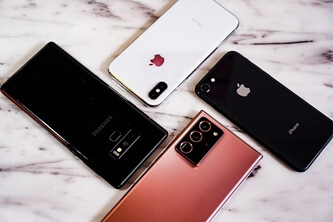

How To Transfer eSIM From iPhone To Android
Learn how to transfer an eSIM from iPhone to Android. Follow step-by-step instructions, compatibility tips, and best practices for a smooth switch.
Can You Have Multiple eSIMs? The Complete Guide
Can you use multiple eSIMs on one device? Learn how it works, device compatibility, and how to manage multiple eSIMs for travel or everyday use.
What Does Deleting eSIM Do?
Learn what happens when you delete an eSIM, how it affects your mobile plan, and when you should remove or replace an eSIM.