
How To Manage An eSIM On Your iPhone
Table of Contents
- Which iPhones Support eSIMs?
- Does iPhone 11 Support an eSIM?
- Does iPhone 12 Have an eSIM?
- Does iPhone XR Support an eSIM?
- Does iPhone 13 Have an eSIM?
- How Many eSIMs Can iPhone 15 Have?
- How to Set Up and Activate an eSIM on iPhone?
- How to Add an eSIM to iPhone?
- How to Download an eSIM on iPhone?
- How to Setup a Rakuten eSIM on iPhone?
- How to Activate an eSIM on iPhone 14?
- How to Set Up an eSIM on Pixel 8a?
- How to Convert a Physical SIM to an eSIM on the Same iPhone?
- How to Transfer an eSIM from One iPhone to Another?
- How to Use an eSIM on iPhone?
- How to Find an eSIM Number on iPhone?
- How to Remove an eSIM from iPhone?
- Conclusion
The evolution of mobile technology has driven the transition from physical SIM cards to eSIMs, changing how we connect to the internet and other devices.
eSIM stands for embedded SIM, and it allows you to connect to a cellular plan without inserting a physical SIM card. As an iPhone user, you will benefit from more flexibility, quicker setups, and fewer travel and carrier restrictions due to this transition.
This guide explains all the necessary details about managing eSIMs for both new users considering the switch and those who already use an eSIM on their iPhone.
Which iPhones Support eSIMs?
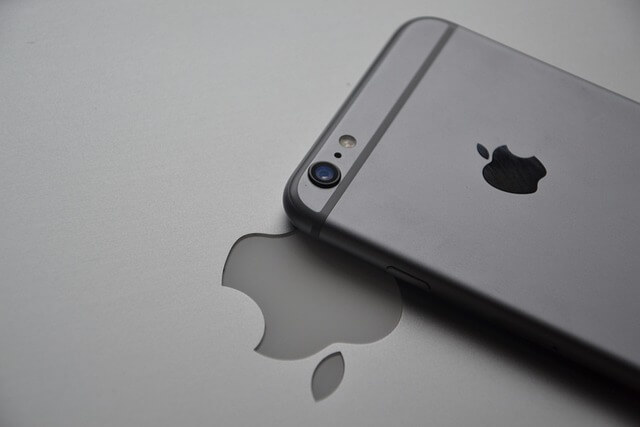
All newer iPhone models support eSIM technology since Apple has expanded the feature availability throughout its lineup. The shift started several generations back, and today it has become the norm for most modern devices.
Most newer iPhone models have built-in support for eSIM technology.
Let us look at various iPhone versions to see if they support eSIM or not.
Does iPhone 11 Support an eSIM?
The iPhone 11 operates with eSIM capability. The device supports dual-SIM operation by allowing simultaneous use of both a physical SIM card and an eSIM.
The dual-SIM function allows you to manage your personal and business contacts together or have a local data plan when traveling internationally.
If you need to purchase an eSIM for staying connected when abroad, check out our eSIM comparison engine that helps you compare numerous eSIM providers easily to select the best eSIM for international travel.
Does iPhone 12 Have an eSIM?
Apple continues its support for eSIM technology through the iPhone 12 series.
The iPhone 12 series offers dual-SIM functionality, allowing you to use both a physical SIM card and an eSIM at the same time. This feature provides smooth connectivity for users traveling between networks or countries.
Does iPhone XR Support an eSIM?
The iPhone XR entered Apple's eSIM lineup as one of the first models to feature eSIM technology.
The device operates using both a physical SIM card and an eSIM, allowing you to access multiple service plans simultaneously.
Does iPhone 13 Have an eSIM?
The iPhone 13 series launched with upgraded eSIM functionality.
The iPhone 13 allows simultaneous operation of two eSIM cards, removing the need for any physical SIM card, unlike its predecessors. The dual eSIM function of the iPhone 13 significantly boosts flexibility, making it the perfect device for digital-only users.
How Many eSIMs Can iPhone 15 Have?
The iPhone 15 extends the capabilities of eSIM functionality. You can store up to eight eSIM profiles in the device, but only two profiles can operate simultaneously.
iPhone 15 allows you to store up to 8 eSIM profiles on your device. That said, only 2 eSIM profiles can be active and working at the same time.
If you travel frequently or need to manage separate lines for business and personal reasons, you will find this feature especially useful.
How to Set Up and Activate an eSIM on iPhone?
Once you have confirmed your iPhone supports eSIMs, the next step is setting one up. The process is easy, but it may vary slightly depending on your carrier.
How to Add an eSIM to iPhone?
You can add an eSIM by navigating to your settings app and selecting cellular or mobile data. The next step requires selecting the option to add your cellular plan.
Your carrier will provide you with a code that you need to either scan as a QR code or enter manually during the eSIM setup process. Your iPhone will download the eSIM profile before activating it on your device when you enter the required information.
How to Download an eSIM on iPhone?
Your carrier's app-based setup feature allows you to download the eSIM without having to scan a QR code.
Once you log into your carrier's app, you will see options to activate an eSIM or add a new line. After completing the steps, you will see your profile downloaded and added to your device instantly.
How to Setup a Rakuten eSIM on iPhone?
The process of configuring a Rakuten eSIM on your iPhone begins with accessing your Rakuten mobile account. When you select a plan that supports eSIM, you will receive a QR code or a set of digital activation steps.
Access your iPhone settings menu and select cellular to add a new cellular plan. Complete the setup by scanning the QR code or entering the provided details.
How to Activate an eSIM on iPhone 14?
The activation process is a necessary step during setup because iPhone 14 models sold in the US operate only with eSIM technology. The device's initial activation sequence includes a prompt to start a cellular plan.
You will have the option to move your current number from your previous iPhone or use a QR code from your carrier. After activation, your cellular plan is functional without requiring a SIM card slot.
How to Set Up an eSIM on Pixel 8a?
Although this guide concentrates on iPhones, users of the Pixel 8a will find the process quite comparable. Start by opening settings, then select network and internet to access SIM options.
The next step allows you to install a new eSIM using the options of a QR code or the carrier's instructions. Despite using a different operating system, this setup process follows the same sequence as the iPhone eSIM setup.
How to Convert a Physical SIM to an eSIM on the Same iPhone?
If you are currently using a physical SIM and want to go digital, many carriers allow you to convert your SIM to an eSIM directly.
To do this, open your carrier's app or website and choose the convert option if available. After confirming your request, your physical SIM will be deactivated, and the eSIM will be installed on the same device.
How to Transfer an eSIM from One iPhone to Another?
Switching devices does not mean you have to give up your eSIM. Apple makes it easy to move your eSIM data plan from one iPhone to another.
How to Transfer an eSIM from Android to iPhone?
The transition from Android to iPhone requires manual intervention because it does not occur automatically.
You can initiate a request with your carrier for updated QR code or activation details that work with your new iPhone. After receiving the eSIM information, you can install it on your iPhone through the settings menu in the same way you did when you first set up the device.
How to Transfer an eSIM to New iPhone?
The process of transitioning between two iPhones is very simple. The new device setup process will ask you to move your current cellular plan over. The eSIM can be transferred wirelessly to your new device if your old iPhone is within proximity.
To add an eSIM on your new iPhone, navigate to settings then select cellular followed by add eSIM. To transfer the eSIM, select 'Transfer from Nearby iPhone,' then follow the instructions displayed on screen.
How to Use an eSIM on iPhone?
An eSIM on an iPhone provides traditional physical SIM card like functionality and improved flexibility. After activation, you gain full access to make phone calls, send messages, and access mobile data.
You can organize multiple eSIMs or a combination of eSIM and physical SIM by assigning each one a label such as work or personal. Having organized profiles lets you select which eSIM line to use for making calls, sending texts, or accessing data.
You can use multiple eSIMs or a combination of an eSIM and a physical SIM on your iPhone. This can be handy to segregate work vs personal lines, or just to have the flexibility of multiple connections.
Active plans can be quickly changed through a few taps in your device settings. The process of traveling or changing carriers has become much simpler due to these advancements. Your device stores inactive eSIMs so they stay available for reactivation at any time.
How to Find an eSIM Number on iPhone?
The process of locating your eSIM information is simple, yet essential for activation and troubleshooting. Start by opening settings and navigate to general before selecting about.
Your device's Embedded Identity Document (EID) can be found by scrolling down in the about section. This is your device's unique eSIM identifier. The cellular section shows the ICCID as the eSIM's SIM card number when your plan becomes active.
These specific numbers need to be provided when contacting customer service, when completing porting requests, and verifying identity for account access. Keeping this information readily available will help you move through your carrier interactions more quickly.
How to Remove an eSIM from iPhone?
You can quickly remove an eSIM from your device when you no longer require it. To delete an eSIM plan from your device, go to settings then tap cellular to select the plan you wish to remove.
Navigate down to the page footer and tap on the remove cellular plan button. Your eSIM profile will be deleted from your iPhone once you confirm your selection.
Accidentally deleting an eSIM is not disastrous. Most carriers provide options to either reinstall your existing profile or issue a fresh one when needed. Contact your provider and follow their restoration steps to regain service access.
Conclusion
eSIMs are a popular and affordable way to stay connected, especially when traveling internationally. If you are an iPhone user, the good news that is most newer iPhone versions support eSIM technology.
Learning how to manage your eSIM on your iPhone can prove handy if you travel overseas frequently. In this guide, we presented various helpful topics to help you make the best of your eSIM experience on an iPhone.
From activating eSIMs to managing multiple eSIM profiles to transferring eSIMs between iPhones, you now know how to manage your eSIMs on an iPhone efficiently.
Do You Need To Find A Reliable And Cost-Effective Data Plan For International Travel?
RemitFinder is an online service that helps you compare eSIM data plans from numerous eSIM providers. By comparing various eSIMs, you can get the best eSIM for your trip and ensure you stay connected when overseas. RemitFinder, thus, helps you to get the best eSIM for international travel.
Categories


Similar Articles


Which Mobile Phones Support eSIMs?
Find out which mobile phones support eSIMs. Check device compatibility and learn how to use eSIMs for travel and everyday connectivity.
How To Transfer eSIM From iPhone To Android
Learn how to transfer an eSIM from iPhone to Android. Follow step-by-step instructions, compatibility tips, and best practices for a smooth switch.
Can You Have Multiple eSIMs? The Complete Guide
Can you use multiple eSIMs on one device? Learn how it works, device compatibility, and how to manage multiple eSIMs for travel or everyday use.