
7 Highly Useful Ways to Use GCash
Table of Contents
- What all can I do with GCash?
- How to Buy Load with GCash?
- What does Buy Load mean?
- Which Mobile Load products can I buy with GCash Buy Load?
- Which Broadband Load products can I buy with GCash Buy Load?
- Which Lifestyle Load products can I buy with GCash Buy Load?
- How to Buy Load using the GCash app?
- Frequently Asked Questions about Buying Load with GCash
- How to Send Money with GCash?
- How to Pay Bills with GCash?
- How can I pay my bills with GCash?
- Which billers can I pay using Pay Bill service in GCash?
- Is there a fee to Pay Bills using GCash?
- How to Shop and Pay Online with GCash?
- How can I pay online using GCash as a payment method?
- How can I order from merchant's mini app in GLife within GCash?
- How to make Bank Transfers with GCash?
- How can I send money to a Bank Account using GCash?
- Frequently Asked Questions about Bank Transfers with GCash
- How to Pay with QR Code using GCash?
- How can I shop in stores and Pay with QR Code using GCash?
- Which merchants accept GCash Pay with QR?
- What is GGives and how can I use it?
- Conclusion
GCash is the most popular e-wallet and mobile payment solution available in the Philippines. It enables you to make cashless purchases almost everywhere, pay bills and much more. In past articles, we have discussed in detail how to add funds to your GCash account (also called Cashing In into GCash) as well as how to withdraw money from your GCash wallet (also called Cashing Out from GCash).
Whilst you will likely Cash In regularly to load your GCash wallet, you may Cash Out very infrequently, perhaps only when you need cash urgently. The biggest advantage and use of GCash is to use it for purchases and other expenses – GCash truly puts you in control of what you can do with your money but without relying on cash or cards.
In this article, we delve into 7 practical and highly useful ways you can use GCash. Keep reading if you want to explore the realm of possibilities that GCash opens up – there are many indeed!
What all can I do with GCash?
The simple answer is – lots!
GCash may have started as a mobile wallet, but over the last several years, it has expanded into a full-fledged payment ecosystem with numerous products and services. Below are some of the ways you can use GCash:
- Buy Load
- Send Money
- Pay Bills
- Shop and Pay Online
- Make Bank Transfers
- Pay with QR Code
- GGives – an installment and loan product from GCash
- GLife – collection of merchant apps in one place within GCash
- GForest – rebuild the Philippines one tree at a time
- GLoan – GCash's loan solution
- GInsure – insurance products offered by GCash
- GCredit – credit line from GCash
- GSave – GCash's digital saving account where you can earn interest
- GInvest – an investment marketplace from GCash that you can use to invest in various investment products from GCash partners
- GiftInsure – provide insurance coverage to family and friends
- GCash Padala – send money to non-GCash users easily
- Book Movies
- Purchase Game Credits
- Request Money
That is a long list of products and services at your disposal in one single app! GCash also keeps adding more services to serve you better, so keep checking in on their platform or within the GCash app to keep an eye out for additional value adds in the future.
GCash has evolved into a giant payment services ecosystem with a lot of useful products and features you can use.
In this article, we will deep dive into the following 7 GCash Products - Buy Load, Send Money, Pay Bills, Shop and Pay Online, Make Bank Transfers, Pay with QR Code and GGives. Let us dive in!
Before you can use GCash to use various products and services, you need money in your account. Did you know you can send money directly into your GCash account from overseas via international remittances?
If you or someone you know wants to send money from overseas directly into your GCash account, there are many attractive ways to do so. Simply search for your country combination on our remittance comparison platform to send money into GCash from overseas.
How to Buy Load with GCash?
Buying Load is our first useful GCash feature that we think is convenient as well as highly advantageous to use. Before we show you how to Buy Load using your GCash wallet, let us first see what does it mean to Buy Load.
What does Buy Load mean?
The term Buy Load represent a GCash service using which you can purchase a variety of mobile, telecom, broadband and lifestyle products from within your GCash app instantly. Traditionally, you would have to go to a relevant mobile operator store or relevant branch office to make your transactions and purchase necessary services.
With the Buy Load product from GCash, you can do this without going to offices and waiting in lines – all from the comfort of your home or office and from within your GCash wallet where you already have funds.
Which Mobile Load products can I buy with GCash Buy Load?
Using GCash Buy Load, you can purchase mobile load from the below network operators within the Philippines.
- Globe
- TM
- Smart
- TNT
- DITO
- Cherry Prepaid
Which Broadband Load products can I buy with GCash Buy Load?
Using GCash Buy Load, you can purchase broadband load from the following internet providers within the Philippines.
- Globe Broadband and Business
- Smart Bro
- PLDT Home
Which Lifestyle Load products can I buy with GCash Buy Load?
You can also purchase non-mobile or non-telco load products using GCash Buy Load. These services include streaming and cable, gaming, social networking and prepaid insurance products from various GCash partners. Below is a list of lifestyle related load you can buy with GCash:
- Streaming and cable: Discovery+, TapGo, Docubay, Da Vinci Kids, Gagaoolala, HBO GO, iQiyi, NBA League and Choice Pass, Shaw Academy, VivaMax, WeTV, Cignal, Satlite and POPTV.
- Gaming: Steam, Garena, Mobile Legends, PUBG, Rules of Surviva, Ragnarok Online, Dragon Nest, Genshin Impact, Wil To Play, Play Station, iTunes and Google Play Store.
- Social networking: KUMU, Free Bee and Smart Marino for Roaming and International Calls, and Tinder.
- Prepaid insurance: MaxiCare and Cebuana Lhuillier.
How to Buy Load using the GCash app?
You can Buy Load with GCash using any of the below 2 methods:
- Using the GCash app
- Dialing *143# from your phone
Using your GCash app is the fastest and easiest way to Buy Load. You can do this by following the simple steps as listed below:
- Step 1 – Login into your GCash app and click on the "Buy Load" option from your app dashboard view.
- Step 2 – Select the telecom company or provider, and enter the mobile number of the recipient. You can also choose someone from your phone contact list, and their phone number will be automatically populated. Once done, click Next.
- Step 3 – Check the chosen telco and the mobile number on the next screen, and if all looks good, click on "Yes, Proceed".
- Step 4 – Now choose the product you want to purchase. You can either enter your desired amount, or choose from predefined amounts by clicking on the amount buttons. Click Next after selecting or adding your purchase amount.
- Step 5 – Check that all the information is correct, and click on the Pay button. Once you do so, GCash will deduct the funds from your wallet. Make sure you have enough funds in your account to make the purchase; if not, you may want to Cash In into your GCash account first to add money.
- Step 6 – Once the purchase has been processed (which should be instant if there are no problems), you will see a confirmation screen.
- Step 7 – GCash will also send you an SMS message confirming that your Buy Load transaction was successful.
It is quick and easy to Buy Load via your GCash app.
Next, we present some Frequently Asked Questions (FAQs) related to Buying Loading using your GCash account.
Frequently Asked Questions about Buying Load with GCash
How do I find available Buy Load promotions?
Often, GCash partners offer Buy Load deals and discounts that you can take advantage of. To find out about any Buy Load promotions, you can either search within the GCash app in the Buy Load Product screen, or by visiting the GCash Buy Load promotions page on the GCash website.
I bought load for the wrong mobile number. How can I cancel the transaction?
This cannot be done as all Buy Load transactions on GCash are final. One recommendation to avoid load purchase for a wrong mobile number is to use your contact list to choose the recipient instead of typing their phone number. This way, you can avoid mistakes when typing a long phone number.
Can I Buy Load with GCash for someone else?
Yes, you can Buy Load for others using GCash. Only Telco, Broadband and Lifestyle load can be purchased for other users.
How to Send Money with GCash?
GCash allows you to send money out of your GCash account in a few different ways; these include the below.
- Sending money to another GCash user
- Sending money to another GCash user with a personalized theme or picture (using the GCash Personalized Send service)
- Sending money to a bank account
- Sending money to a non-GCash user (using the GCash Padala service at a GCash Padala Partner Outlet)
In the remainder of this section, we will look at how you can transfer funds from your GCash wallet to another GCash user using the GCash app.
How to Send Money to another GCash User?
GCash lets you send money to another GCash user free of charge using their Express Send service. Follow the below steps if you need to transfer funds to someone who also has a GCash account.
- Step 1 – Login into your GCash app and click on the "Send Money" category from your app dashboard view. Within the "Send Money" options, click on "Express Send".
- Step 2 – Enter the recipient's mobile number as well as the amount you want to transfer. You can also choose a contact from your phone contact list, and GCash will populate their phone number. We recommend this option as you can avoid typos while entering the recipient's phone number manually and hence accidentally send money to the wrong person. Optionally, you can also include a personal message with your transfer. Once you are finished, click Next.
- Step 3 – You will be presented with a screen asking you to confirm everything. Double check the GCash user you are sending money to, their phone number and the transfer amount. If all looks good, click on the Send button to confirm your transfer request.
- Step 4 – If the transaction gets successfully processed, you will see a confirmation screen. Both you and your recipient will also receive text messages notifying you of the successful funds transfer.
You can send money to other GCash users without paying any transaction fees.
Let us now look at some FAQs about Sending Money via GCash. These will hopefully answer some of the questions you may have about this service.
Frequently Asked Questions about Sending Money with GCash
Which GCash account types can send money with GCash?
Recall that GCash has 2 account types – Basic and Fully Verified. Only Fully Verified GCash users can use the Send Money service within GCash. If you have a Basic GCash account, you will need to verify your account to be able to send money via GCash.
If there a limit to how much money can I send with GCash?
Your GCash wallet limits apply when sending money with GCash. Since Send Money via GCash is only available to Fully Verified GCash users, the relevant wallet transaction limits apply. Currently, the monthly transaction limit for Fully Verified GCash accounts is PHP 100,000.
How do I send money to non-GCash users?
GCash has a service called GCash Padala using which you can send money to anyone who does not have a GCash account. Once you do so, the recipient can either create a new GCash account to claim the funds, or go to a GCash Padala Partner Outlet to collect the money.
How to Pay Bills with GCash?
Wouldn't it be nice if you could also pay your bills with GCash? After all, you do not want to only handle a few payments within GCash, and have to manage the rest with cash and credit cards.
This is where GCash bill pay comes in! One of the most powerful features of the GCash ecosystem is the ability to pay bills. This is super important if you are to make GCash app your one stop shop for most of your payments and expenses.
How can I pay my bills with GCash?
Follow the below step by step guide to use GCash to pay your bills:
- Step 1 – Login into your GCash app and click on the "Bills" menu on your app home screen.
- Step 2 – The next step is choosing a biller you want to pay. There are two ways to do so. First, you can click on one of you favorite billers. Second, you can click on any of the available categories and select your biller within that category. Using either approach, choose who you want to pay.
- Step 3 – Enter the bill payment information. Note that each biller may require slightly different information. In general, you will need to enter the bill payment amount, your email and/or phone number and your account number with the biller. Click Next once you have filled in all the requisite information.
- Step 4 – Check everything for accuracy and confirm your bill payment.
- Step 5 – If all goes well, you will get a bill pay confirmation screen notifying you of a successful transaction. You will also get a success SMS message.
Which billers can I pay using Pay Bill service in GCash?
GCash has partnered with more than 400 billers across the Philippines to give you a wide variety of bill pay options. From mobile operators to utility companies to schools and banks, GCash has a huge partner network to make it convenient for you to pay your bills using GCash.
You can check out the latest GCash biller partners by browsing or searching the billers page on their website.
Is there a fee to Pay Bills using GCash?
You may have to pay a fee when you Pay Bills with GCash. Whether there is a fee and if there is, how much you will pay – this all varies from biller to biller. You can see the fees per biller at the GCash biller partners page.
For example, below are some fees that some popular billers charge if you make bill payments with them using GCash.
- Meralco, Manila Water, Maynilad, Globe Postpaid, Globe At Home – PHP 0 (no fee)
- PLDT, Converge ICT – PHP 7
- Autosweep RFID – PHP 10
- Eastrip RFID – PHP 12
- Home Credit – PHP 15
You can pay more than 400 billers within the Philippines using the Pay Bill service within GCash.
How to Shop and Pay Online with GCash?
GCash has also been continuously partnering with many merchants and major retailers to offer you increasingly rich options to shop and pay online using your GCash account. This is great as you do not have to then make your online purchases with credit cards or other financial payment systems – you can simply use your GCash wallet for online shopping.
There are 2 ways GCash facilitates online payments to numerous merchants; these are listed below.
- Using GCash as a payment method: As a popular payment wallet, GCash is accepted as a payment method at checkout by numerous merchants both within the Philippines and worldwide. This way, you can simply choose GCash as a payment method just like you would choose to pay with a credit card, for example, when you make purchases online.
- Using merchant apps in GLife: GCash has also been directly adding support for various merchants within the GLife product within GCash. Such an integration means you can pay for supported merchants straight from within your GCash app. This way, you do not need to create separate accounts at the merchant site or download their app.
Let us see the steps you will need to pay for your online purchases with both of the above methods.
How can I pay online using GCash as a payment method?
Follow the below steps to use GCash as a payment method for your online purchases at merchant sites or apps that accept GCash payments:
- Step 1 – When checking out your order at the merchant website or app, choose GCash as your payment method.
- Step 2 – Authorize your payment with GCash. You will need to login into GCash with your credentials, and enter the OTP (one time password) that GCash will send to your phone for verification.
- Step 3 – Confirm the payment and GCash will send you a confirmation SMS once the transaction has been processed successfully.
How can I order from merchant's mini app in GLife within GCash?
For merchants that are integrated into GLife, you can order online from within your GCash app. Follow the below steps to do this.
- Step 1 – Login into your GCash app and choose the "GLife" option on your app dashboard screen.
- Step 2 – Select the merchant you want to place an order with. Depending on the merchant, and the type of goods or services they sell, you may have to choose certain options or provide needed information. For example, if you are ordering physical goods, you will have to choose been Delivery and Pickup options.
- Step 3 – Choose the good or services you want to purchase, and proceed to checkout in the merchant's mini app.
- Step 4 – Choose the "Pay with GCash" option as your payment method.
- Step 5 – GCash will process your payment, and once it is successful, you will get a text message notifying you of a successful purchase.
To shop and pay online, you can use GCash as a payment method at checkout, or shop via merchant mini apps in GLife.
Paying for your online purchases with GCash is not only convenient, but also very easy. Some of the popular merchants you can pay with this option include Spotify, Netflix, Google Pay, Gawin, GlobeOne, KFC, McDelivery, Facebook Ads, Goama Games, GOMO, Cheery Shop, Asiapay, Pesopay and Apple Store.
How to make Bank Transfers with GCash?
GCash also allows you to send money to a bank account. This is another convenient service as it saves you from going to banks and standing in lines. You can now simply send money from your GCash wallet to your bank account.
How can I send money to a Bank Account using GCash?
The steps to send money to your bank account using GCash are as below:
- Step 1 – Login into your GCash app and choose the "Send Money" from the app dashboard. Then click on "Send Money to Bank" or "Bank Transfer".
- Step 2 – From the list of supported banks, choose your bank, and input the transfer amount, your name and bank account number.
- Step 3 – Confirm that all entered information is correct, and click on "Send Money". GCash will process your transfer immediately, and you will receive a confirmation SMS.
Frequently Asked Questions about Bank Transfers with GCash
Which banks can I send money to using GCash?
GCash has partnered with more than 60 banks within the Philippines that you can send money to using the Bank Transfer service from your GCash app. This includes all the popular banks like BDO Network Bank, BPI, China Banking Corporation, Development Bank of the Philippines, ING, Landbank, OFBank, Metropolitan Bank, PNB, Union Bank of the Philippines, and numerous others.
See the list of GCash supported banks to see if your bank is already part of the GCash network.
Is there a fee to do a Bank Transfer using GCash?
There is a PHP 15 fee for every bank transfer transaction you do with GCash. Given this, we recommend that you avoid sending small amounts as the flat fee of PHP 15 will become very high as a percentage of the transfer amount.
Can I make recurring Bank Transfers using GCash?
You can schedule your Bank Transfer via GCash from within the app. This way, GCash will transfer money from your account as per your chosen schedule. Note that you have to pay PHP 15 transaction fee per bank transfer, so factor that into your transfer frequency and amount.
GCash has partnerships with more than 60 banks in the Philippines. You can send money to all major banks from your GCash wallet.
How to Pay with QR Code using GCash?
The next high practical and useful GCash feature in our top 7 list is Pay with QR Code using your GCash app. To make this happen, GCash has partnered with numerous merchants and stores within the Philippines; these include food, groceries, clothes, entertainment and numerous other shops and stores.
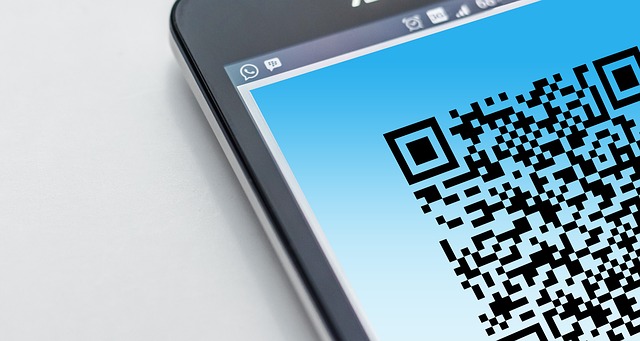
The way Pay with QR Code works is that participating merchants let you scan a QR Code to use your GCash wallet as a payment method when you shop with them. This way, your phone becomes your payment method, and you can shop freely without carrying cash or using your credit card.
How can I shop in stores and Pay with QR Code using GCash?
Paying with QR Code using your GCash wallet is very simple; use the steps below to make use of this convenient payment mechanism.
- Step 1 – Login into your GCash app and choose the "QR" menu item in the app navigation bar. This will load the QR Reader within the GCash app.
- Step 2 – Point your phone camera at the QR Code in the store location. Make sure that the full QR Code is within the QR Reader window frame.
- Step 3 – GCash app will detect the merchant (since they are part of the GCash merchant network). Verify that it is the correct merchant or store, and input the payment amount and tap "Next".
- Step 4 – Verify that all entered information is accurate, and click on "Pay". This step in the process also allows you to pay with GCredit if you have that service enabled in your account.
- Step 5 – GCash will process your purchase and you will get a receipt. You can save a screenshot of the receipt as an image if you prefer. You will also get a confirmation SMS telling you that the purchase was successful.
- Step 6 – The merchant will also get an SMS message notifying them of the incoming payment you just made with your GCash wallet.
Which merchants accept GCash Pay with QR?
To make daily shopping and purchases convenient for you, GCash has partnered with more than 139,000 merchants and stores across the Philippines. Participating merchants include convenience stores, entertainment shops, restaurants, pharmacies, groceries, retail outlets, transportation vendors and many more.
Using Pay with QR via GCash, your phone becomes your payment method and you can make purchases at more than 139,000 merchants in the Philippines.
Take advantage of Paying with QR to make payments seamless, and forget about the hassle of carrying cash or credit cards!
What is GGives and how can I use it?
The last GCash service that completes our list for this article is GGives, which is a loan product from GCash whereby you pay for your purchases in installments. In other words, with GGives you can buy now, and pay later – all within the GCash app without having to deal with external loans with banks or other financial institutions.
Let us see how GGives works and things you need to know about this useful program.
How does GGives work?
If you are approved for GGives, you can have one active and ongoing loan at any given time with a GCash network merchant. Before you can become eligible for another loan, you must pay off your first loan. In other words, you can only have one active GGives loan at any given time.
Your GGives loan has to be a minimum PHP 1,000 borrow, and you can go up to a maximum PHP 50,000 limit. You will get an interest rate between 0% to 4.99% per month based on your eligibility and loan duration. The lower the loan duration, the lower the interest rate will be. GCash allows GGives loans to be any of the following durations – 3 months, 6 months, 9 months or 1 year.
Below are some additional important points you need to be aware of when using GGives.
- Currently, you do not need any down payment to borrow money with GGives.
- For a limited time, GCash is also waiving a one-time processing fee for setting up your GGives loan.
- If you miss a loan payment, you will have to pay a penalty fee of PHP 100 plus 0.15% of your outstanding balance for each day your payment is late after the due date.
- If you prepay your GGives loan early, you will become eligible for an interest cashback. GCash will calculate this amount based on outstanding loan duration and other factors, and you will get a credit in the first week of the next month.
GGives is a loan product from GCash using which you can buy now and pay later in flexible installments.
GGives, thus, can be a handy option if you need to make a major purchase for which you do not have cash as of now. As with all loans, use your best judgement to factor in interest and other charges and only get loans when you absolutely need them, and when you are confident you can pay them on time.
Conclusion
GCash offers some really useful products and services that can help you manage your daily purchases and expenses conveniently from within the GCash app. From buying load to paying bills to sending money to others, there is lots you can do with GCash.
These services empower you to partake in the cashless economy whereby you neither need to carry cash nor deal with credit cards and checks to make payments. Not only is a mobile wallet like GCash safe, it offers you the convenience to have your money in your pocket at all times.
Additionally, GCash has been investing in strong partnerships with banks, financial institutions, retail outlets, stores and merchants of all types to make it easy for you to make a variety of payments and related financial transactions from within GCash. Harness the power of GCash and make payments with comfort and ease.
Do You Need To Find the Best Remit Exchange Rate for Sending Money Internationally?
RemitFinder is an online service that helps you track remit exchange rates. By checking and comparing the latest remit exchange rates, you can get the best exchange rate for your money transfers. RemitFinder, thus, helps you to get the best return for your hard-earned money.
Find the cheapest rate to transfer your hard-earned money - visit our site or download the app on Google Play or Apple App Store now.
Want to explore by country? Browse all destination countries on our send money to hub or sending countries on our send money from hub.
Categories


Similar Articles

Tax Treatment On Sale Of Property By NRI In India
Learn the tax implications for NRIs selling property in India. Understand key rules, deductions, and how to stay compliant with regulations.
Popular Mobile Wallets In Middle East And Africa
Explore popular mobile wallets in the Middle East and Africa and how they support financial inclusion and digital payments.
Popular Mobile Wallets In North America
Discover the most popular mobile wallets in North America and how they simplify payments, transfers, and everyday transactions.