
6 Easy Ways to Cash In into your GCash Account
Table of Contents
- How can I send money into my GCash account?
- How to Cash In into GCash via Partner Banks?
- How can I link my Bank Account to GCash?
- How to Cash In into GCash via using my BPI bank account?
- How to Cash In into GCash via Bank/EMI apps?
- How can I Cash In into GCash using BPI Mobile app via InstaPay?
- How can I Cash In into GCash using BPI Mobile app via Load E-Wallet?
- How to Cash In into GCash via Payoneer?
- Are there any requirements I need to fulfill before I can Cash In into GCash via Payoneer?
- What is the process to Cash In into GCash via Payoneer?
- Are there any limits to how much I can Cash In into GCash via Payoneer?
- How to Cash In into GCash via PayPal?
- Are there any requirements I need to fulfill before I can link my PayPal and GCash accounts?
- How do I link my PayPal account to my GCash account?
- What is the process to Cash In into GCash via PayPal?
- Are there any limits and fees for Cashing In into GCash via PayPal?
- How to Cash In into GCash via International Remittance?
- How to Cash In into GCash via Over the Counter partners?
- Which partners in the Philippines offer over the counter Cash In for GCash?
- How can I Cash In into GCash at 7-Eleven via CLiQQ?
- How do I Cash In into GCash at a 7-Eleven using the CLiQQ app?
- How do I Cash In into GCash at a 7-Eleven using the CLiQQ kiosk?
- Are there any limits and fees for Cashing In into GCash via over the counter outlets?
- How can I Cash In into GCash at other over the counter outlets?
- Conclusion
GCash is an extremely popular mobile wallet used in the Philippines. To be able to use GCash to make purchases, send money to others and pay bills, the first thing you would need to do is to add funds to your GCash account.
The process of adding money to your GCash account is also called "Cash In" – you will see this term used in GCash help articles and throughout their platform. Cashing In into GCash, thus, is synonymous to adding money to your GCash account.
The term Cashing In into GCash means adding money to your GCash wallet.
In this article, we show you not only how easy it is to Cash In into your GCash account, but also numerous convenient ways to do so. Keep reading if you want to learn how seamless it is to move money into your GCash account!
How can I send money into my GCash account?
There are several ways you can Cash In (we will be using this term from now on as its more prevalent in the GCash ecosystem). Some of the popular GCash Cash In methods include:
- Method 1: Cash In via linked Bank Accounts
- Method 2: Cash In via Bank/EMI Apps
- Method 3: Cash In via Payoneer
- Method 4: Cash In via PayPal
- Method 5: Cash In via International Money Transfers (also called International Remittances)
- Method 6: Cash In via Over the Counter at partner outlets
There are many ways to Cash In into your GCash account.
In the next few sections, we will present more details about the various ways to Cash In into your GCash account.
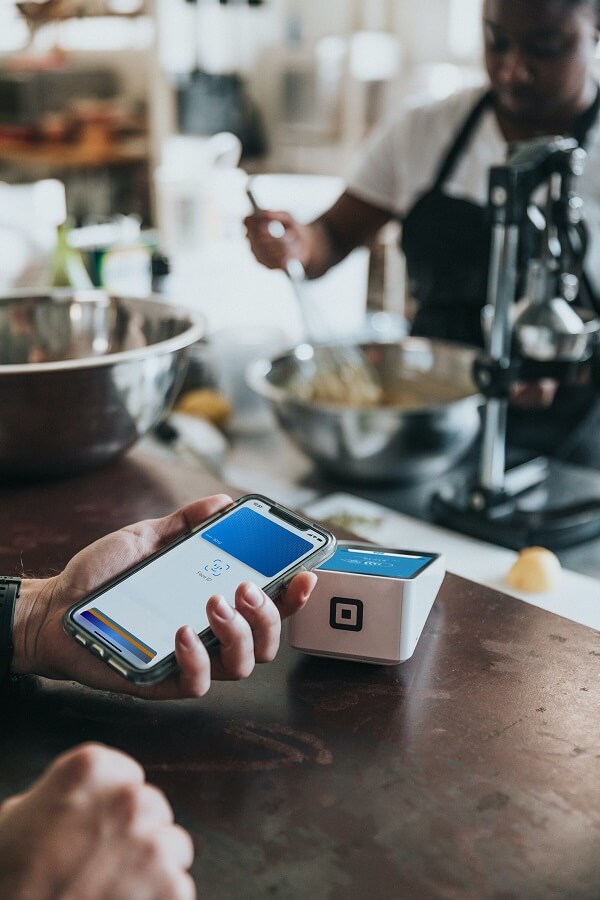
How to Cash In into GCash via Partner Banks?
You can link your Bank accounts with your GCash account for convenient funding of your mobile wallet. Cashing In via a bank account works with most banks in the Philippines.
However, there is a generally transaction fee that can range anywhere from PHP 0 to PHP 50 depending on the bank. The good news is that Cashing In into GCash using Bank of the Philippine Islands (BPI) and UnionBank is free of charge. Note that Cashing In via PayPal is also free. Therefore, if you want to avoid having to pay any fees for funding your GCash account, use BPI, UnionBank or PayPal to Cash In.
Cashing In using BPI and UnionBank is free; other banks may charge a transaction fee of up to PHP 50.
Currently, the GCash ecosystem allows you to add any of the following as a linked account to Cash In:
- BPI
- UnionBank
- PayPal
- GCash Mastercard
- Payoneer
- American Express Virtual Pay
- GCredit
- GlobeOne
Cashing In via your linked bank account is super easy and convenient. You basically authorize funds transfer from your bank account to GCash, and then use GCash for various types of transactions like paying bills, sending money to others and your everyday spending and purchases.
How can I link my Bank Account to GCash?
The process to link your bank account to GCash is simple; follow the steps below to connect your bank account with GCash and use it as a convenient way to Cash In.
- Step 1 – Click on "Profile" in your GCash app and then choose the "My Linked Accounts" option. Note that you must be logged in to perform this action.
- Step 2 – Choose your Bank from the list of banking options available within the "My Linked Accounts" screen. For example, you could choose BPI or UnionBank to link your bank account from those banks.
- Step 3 – Once you choose your bank, you will be redirected to an authentication screen where you will need to enter the username and password needed to authenticate with your bank.
- Step 4 – You may also receive an OTP from your bank to further validate your request to link your bank account. The OTP will generally be sent via SMS to your mobile phone. Enter the OTP to continue the linking process.
- Step 5 – Once you enter the OTP, your bank will finish the verification process. If verification is successful, you will get a success screen notifying you that your bank account has been successfully linked to your GCash account.
After successfully linking your bank account to your GCash account, you are all set to Cash In via your bank account. In the next section, we look at an example of how to Cash In via your BPI bank account. The process is pretty similar for other banks.
How to Cash In into GCash via using my BPI bank account?
To fund your GCash wallet with money straight from your BPI bank account, follow the instructions below:
- Step 1 – Login into your GCash app and click on the Cash In option on the dashboard.
- Step 2 – Next, navigate to either Online Banks or Linked Accounts, and click on BPI from the available options.
- Step 3 – Choose which BPI account the money will come from (in case you have multiple BPI bank accounts) and enter the transfer amount. Click Next to check all the information, and if you are satisfied, click on Confirm.
- Step 4 – Enter your phone number registered on your BPI bank account and click Submit. You will receive an OTP (one time password) on your phone.
- Step 5 – On the next screen, enter the OTP and click Submit to start the transaction.
- Step 6 – Upon successful transfer, you will see a success screen as well as get an email that the transfer was completed. You should also see the money added to your GCash Wallet.
It is quick and easy to link your bank account to GCash and Cash In.
Are there any limits to how much I can Cash In to GCash via my Bank Account?
Your bank will generally have a limit to the amount of money you can Cash In into GCash.
For example, BPI has daily limits on how much money you can transfer out of your bank account. The default limit is PHP 50,000 per day per source account. However, you can increase this daily BPI limit using the BPI Mobile Banking app. If you are a regular BPI customer, you can raise the limit to PHP 250,000 and if you are a preferred customer, the limit is even higher at PHP 500,000.
Similarly, if you are Cashing In into GCash using UnionBank, there is a daily limit of PHP 10,000 if you are a new user. GCash will keep increasing this limit as you use your GCash account as quickly as within 2 weeks (depending on your usage). Once GCash has increased your Cash In limits, you can receive up to PHP 100,000 per month from UnionBank.
Most bank have limits in place to the amount of money you can Cash In into GCash.
Make sure to check with your bank what the transfer limits are and if it is possible to increase them.
How to Cash In into GCash via Bank/EMI apps?
In the prior section, we saw how to link your bank account to GCash from within the GCash app. You can also follow the reverse process whereby you can Cash In into GCash from your bank account using your bank's website or app via InstaPay and PESONet.
Sourcing funds directly from your bank's website or app can be a very convenient way to Cash In into your GCash account since you already use your bank's portal to manage your money.
Below, we present the steps you need to undertake to Cash In using the BPI website or mobile app. Instructions for other banks will be similar in spirit; check with your bank if you need help.
How can I Cash In into GCash using BPI Mobile app via InstaPay?
If you want to use BPI banking application, and use InstaPay to Cash In into GCash, follow the instructions below:
- Step 1 – Login into your BPI Website or Mobile Banking app.
- Step 2 – Under the "Transfers" menu, choose "Transfer Money" and then "Transfer to another bank".
- Step 3 – From the list of available options, choose GCash and fill in the necessary information. Your GCash Account Number is your mobile number that you used to register with GCash.
- Step 4 – Verify that all information is correct, and enter your OTP (one time password) or Mobile Key to validate the transaction. The OTP will be sent by BPI to your mobile phone.
That is it. Now you can transfer money into your GCash account from your BPI Banking App using InstaPay.
Are there any limits to how much I can Cash In into GCash via BPI InstaPay?
Note that there are limits and fees associated with Cashing In via the BPI Mobile app; these are listed below.
- If you are new to InstaPay, you can send up to PHP 20,000 per day. This limit can be increased in as fast as 2 weeks to PHP 50,000 per day if you keep using your GCash app. The more you use GCash, the faster your limit will be increased.
- You will have to pay a PHP 25 transaction fee for using BPI InstaPay.
How can I Cash In into GCash using BPI Mobile app via Load E-Wallet?
Another method to Cash In into GCash via BPI Mobile Banking app is by using the Load E-Wallet option. The biggest advantage of this option is that currently there are no fees associated with this approach to transfer funds into your GCash account.
You can follow the instructions below to load money into GCash using the BPI Load E-Wallet method:
- Step 1 – Login into your BPI Mobile Banking Application.
- Step 2 – From the "Payments/Load" menu option, select the "Load E-Wallet" option.
- Step 3 – Select "GCash" from the available wallets in the "Load to" field. You will need to enter your GCash registered mobile number in the "Reference Number" field.
- Step 4 - Verify that everything is accurate, and enter your OTP (one time password) or Mobile Key to authenticate the linking of your GCash mobile wallet. BPI will send the OTP to your mobile phone.
After this, you are ready to transfer money into your GCash account using the Load E-Wallet option in BPI.
You can also Cash In into GCash by using your bank's mobile app. There may be fees associated with this though.
GCash publishes various useful guides to help you Cash In into GCash using many other Bank/EMI apps. Make sure to check the relevant article for your bank.
How to Cash In into GCash via Payoneer?
Another way you can Cash In into GCash is using Payoneer, which is an online digital payment solution that can also be linked to your bank account. Using Payoneer, you can get paid as well as pay others seamlessly, both domestically as well as internationally.
Before you can use Payoneer to fund your GCash account, there are a few pre-requisites you will need to be aware of. We cover these in the following section.
Are there any requirements I need to fulfill before I can Cash In into GCash via Payoneer?
The below requirements must be met before you can successfully Cash In into GCash using Payoneer.
- Cash In into GCash via Payoneer is only available to Fully Verified GCash account holders. So, if you have a Basic GCash account, make sure to upgrade your account to Fully Verified.
- You must also have a verified Payoneer account. Setting up a Payoneer account is quick and easy. In fact, you can do so from even within your GCash app. You can do this by going to your GCash Profile section, then selecting "My Linked Accounts", then clicking on Payoneer and choosing the "Create an Account" option. Once you finish the necessary steps, you will get an email confirming your account is in review. You will also be notified by Payoneer once they approve your account.
- You must link your Payoneer account with your GCash account. You can do this by navigating to your GCash Profile menu, then selecting "My Linked Accounts", then clicking on Payoneer and choosing the "Link Account" option. Then enter your Payoneer username and password, and if all goes well, your Payoneer account will be successfully linked to your GCash account.
What is the process to Cash In into GCash via Payoneer?
Once you have a linked Payoneer account, follow the instructions below to Cash In into GCash using Payoneer.
- Step 1 – Login into your GCash account and click on the "Cash In" option.
- Step 2 – Select Payoneer from the available Cash In providers.
- Step 3 – Enter your desired Cash In amount. Note that since Payoneer is a multi-currency application, you may also need to choose your source currency if you hold many currencies in your Payoneer account.
- Step 4 – GCash will convert the foreign currency you chose into Philippine Pesos, and show you the final amount in PHP. If you are satisfied with the amount in PHP, hit "Confirm".
- Step 5 – GCash will send you an OTP to your registered phone number. Enter the received OTP to validate your transaction.
- Step 6 – You will see a confirmation screen that will show that the transfer is in progress.
- Step 7 – Once the transfer is successful, you will get an SMS notifying you that the transaction is complete. Your GCash wallet will also reflect the new balance with the funds added from your Payoneer transfer.
Linking your Payoneer account to GCash and Cashing In via Payoneer is a great approach to add money to your GCash Wallet.
Are there any limits to how much I can Cash In into GCash via Payoneer?
Yes, there are a couple of limits you need to be aware of when you Cash In into GCash using Payoneer. These limits are as below:
- Payoneer's withdrawal limit is PHP 100,000 aggregated over 30 days.
- GCash also has a wallet limit of PHP 100,000. This is the limit for all Fully Verified GCash accounts. Recall that Payoneer can only be linked to Fully Verified GCash accounts.
How to Cash In into GCash via PayPal?
Yet another convenient way to Cash In into GCash is by using PayPal. Over the last few years, PayPal has become a very popular platform and many people have PayPal accounts. If you do not have one, you should look into it. It is easy, secure and is be a real good way to send and receive payments without disclosing your bank account or credit card details.
Before you can Cash In via PayPal, you need to link your PayPal account with your GCash account. But before you do so, there are some requirements you will need to be aware of; we cover these in the next section.
Are there any requirements I need to fulfill before I can link my PayPal and GCash accounts?
Before you can link your PayPal and GCash accounts, you will need to fulfill the below requirements.
- Only Fully Verified GCash account holders can link their PayPal accounts. So, if you are a Basic account holder, make sure you verify your GCash account first.
- You must be the owner of both your GCash and PayPal accounts.
- Your first name and last name on both your GCash and PayPal account must match without any differences. For example, Tomas DeNiro and Tomas De Niro will not match as they are not identical.
- You must use your PayPal registered email to link your PayPal account with GCash.
- Your PayPal account cannot be overseas based and must be established in the Philippines.
- You must verify your bank account or credit card with PayPal to remove your withdrawal limit within the PayPal ecosystem.
Make sure to get these prerequisites accounted for before you attempt to link your PayPal and GCash accounts. If any of the above conditions is not fulfilled, the account linking process will fail.
How do I link my PayPal account to my GCash account?
Once you are ready, follow the below process to link your PayPal and GCash accounts together:
- Step 1 – Navigate to your GCash Profile menu, then selecting "My Linked Accounts".
- Step 2 – Then select the PayPal option from the available choices, and choose "nominate the PayPal email account" option. Then click on Link, followed by Authorize.
- Step 3 – You will be presented with the PayPal login screen. Enter your PayPal username and password here.
- Step 4 – Next, confirm your mobile number and hit Continue. You will get an OTP on your phone. Enter the same on the screen, and if all goes well, your PayPal account will be successfully linked to your GCash account.
What is the process to Cash In into GCash via PayPal?
Now you are ready to Cash In into your GCash account using PayPal. You can do so by following the steps below:
- Step 1 – Login into your GCash mobile app and choose the "Cash In" option.
- Step 2 – Select PayPal under the "Global Partners and Remittance" tab.
- Step 3 – Enter the amount you want to Cash In into your GCash wallet. Note that the minimum amount you must Cash In if using PayPal is PHP 500. Tap Next and then Confirm. To avoid currency conversion, make sure you have Philippine Peso (PHP) added as a currency in your PayPal account. This way, your PayPal balance will be available as PHP when you choose to Cash In into GCash.
- Step 4 – That is it. You will see a confirmation screen that shows your transfer is in progress. Most PayPal to GCash Cash In transfers are instant, and the rest will finish within 1-2 business days.
- Step 5 – Once your PayPal funds are successfully transferred into your GCash wallet, you will get confirmation SMS as well as email. Additionally, you will be able to see the transferred funds within your GCash wallet.
Now you are ready to start using the money you moved from PayPal into GCash for your purchases and other expenses.
PayPal is yet another attractive choice to Cash In into GCash.
Are there any limits and fees for Cashing In into GCash via PayPal?
There is a limit of PHP 100,000 when Cashing In into GCash using PayPal. Once you hit this limit, you may also have to relink your PayPal account with GCash.
When it comes to fees, there are no charges to transfer your money from PayPal into GCash.
If you wish to take advantage of PayPal to Cash In into GCash, but do not have a PayPal account yet, it is quick and easy to create one.
How to Cash In into GCash via International Remittance?
Yet another great way to receive money into your GCash account is via international money transfers, also called remittances. In this case, your overseas sender basically chooses your GCash account to send money into. The money transfer company they choose will then deposit the funds directly into your GCash wallet in the Philippines.
This is a vast topic and we have covered this in a separate blog post in detail; check out everything you need to know about sending and receiving remittances into your GCash account.
Suffice it to say that you can and should let your international senders know that you have a GCash account they can send money into. This applies to both personal as well as business payments.
International money transfers can be sent directly into a GCash account.
In case you are trying to send money from overseas back to the Philippines, and prefer receiving funds in your or your recipient's GCash account, there are many options available. Check out our detailed money transfer comparison pages for your country combination to see options to send money to GCash from overseas.
How to Cash In into GCash via Over the Counter partners?
What if you could walk into a grocery store or pharmacy and quickly add money into your GCash account while you finish running some errands? Well, that is exactly what Cash In with over the counter partners option is for. Let us see how this works and which partners let you Cash In into GCash over the counter.
Which partners in the Philippines offer over the counter Cash In for GCash?
GCash has partnered with hundreds of merchants and partners of various types where you can simply walk in and Cash In over the counter. Below is a list of some of the partners in the GCash over the counter Cash In program:
- Supermarkets: All Day Supermarket, Easy Day Shop, Ever Supermarket, Gaisano Grand, Robinsons Supermarket, Robinsons Supermarket, SM Group of Supermarkets, Waltermart
- Payment Providers: Globe Store, Bayad Center, ECPay, ExpressPay, Panalo Express, PERA Hub, TrueMoney, (via barcode or through the cashier), Posible, iBayad, VIP Payments Center
- Pawnshops: Cebuana, Villarica, Tambunting, RD Pawnshop, Palawan, Jaro Palawan
- Convenience Stores: AlfaMart, Family Mart, Ministop, Puremart, Shell Select, 7-Eleven
- Department Stores: SM, Robinsons
- Drugstores and Pharmacies: Southstar Drug, Watsons
- Gas Stations: Seaoil, Petron
- Logistics: LBC Express
- Machines: TouchPay, Pay&Go, eTap
How can I Cash In into GCash at 7-Eleven via CLiQQ?
7-Eleven is a very popular convenience store with umpteen locations worldwide, as well as in the Philippines. It is, therefore, no surprise that it is also a participant in the GCash partner network. This allows GCash users the convenience of Cashing In at 7-Eleven stores.
Cashing In into GCash at 7-Eleven works via CLiQQ, which is the official mobile app from 7-Eleven that their customers use to manage CLiQQ WiFi as well as Payments and Rewards. The CLiQQ app is able to generate payment barcodes that customers can generate anywhere and use them to purchase merchandise in the store. This obviates the need to stand in lines and wait at the store.
GCash customers can Cash In at any 7-Eleven store using CLiQQ in one of the 2 ways below:
- Using the CLiQQ app
- At a CLiQQ Kiosk
You can Cash In at 7 Eleven via the CLiQQ app or kiosk.
How do I Cash In into GCash at a 7-Eleven using the CLiQQ app?
Follow the steps below if you want to add funds to your GCash Wallet using the CLiQQ mobile app:
- Step 1 – Login into your 7-Eleven CLiQQ mobile app and choose the "Add e-money" option.
- Step 2 – Select GCash from the available options and enter your GCash registered mobile number.
- Step 3 – Next, enter the amount you want to add to your GCash wallet. The CLiQQ app will generate the barcode that you can use in the next step to load funds. Alternatively, you can also access the barcode in the "Manage Transactions" section of the CLiQQ app.
- Step 4 – With the barcode available, you can visit any 7-Eleven store and present the barcode to the cashier. You can then pay for your funds transfer.
- Step 5 – As soon as the Cash In transaction is successful, you will receive an SMS message that will confirm the transfer. You can also check your GCash Wallet to validate that the money has been credited to your GCash account.
How do I Cash In into GCash at a 7-Eleven using the CLiQQ kiosk?
In addition to using the CLiQQ app, you can also Cash In into GCash at a 7-Eleven CLiQQ kiosk. Follow the simple steps below to do so:
- Step 1 – Go to a CLiQQ kiosk at a nearby 7-Eleven branch location.
- Step 2 – On the kiosk machine menu, choose e-money, and then select GCash from the available options.
- Step 3 – On the next screen, enter the amount you wish to transfer and your GCash registered mobile number. After this, the kiosk will generate a printed receipt.
- Step 4 – Take the receipt to a cashier register and pay for your transfer.
- Step 5 – The cashier will process your request, and you will get an SMS confirmation that the transfer was successful. Your GCash Wallet should also reflect the new amount with the credit.
Cashing In into GCash via partner outlets is a convenient and hassle free way to fund your GCash wallet.
Are there any limits and fees for Cashing In into GCash via over the counter outlets?
Your first PHP 8,000 Cash In into GCash is absolutely free if you use any over the counter outlets that participate in the GCash network. If you wish to transfer more than the free PHP 8,000 limit, you will have to pay a 2% fee.
Note that the PHP 8,000 free Cash In limit refreshes on the 1st day of every month. So, you can try to time your Cash In into GCash via partner outlets monthly if you wish to avoid paying the 2% fee for higher amounts.
How can I Cash In into GCash at other over the counter outlets?
The process to Cash In into GCash at any participating merchant or outlet is very similar to the one we outlined above for 7-Eleven. You basically choose the transfer amount, provide your GCash account number or registered phone number, and pay for your transfer.
The partner will debit the funds you provide, and credit them into your GCash Wallet.
We have also prepared a video on how to Cash In into GCash. This is a good summary of quick and easy ways to Cash In into your GCash mobile wallet.
Conclusion
Depositing money into your GCash account, or Cashing In, is super easy and convenient. The GCash ecosystem has made funding your GCash account very simple by partnering with numerous banks, payment systems like PayPal and Payoneer, and partner locations and outlets. Additionally, you can also have your overseas family or business partners send payments directly into your GCash account.
Take advantage of numerous plus points that GCash offers as it is literally effortless to add money into your GCash account.
Do You Need To Find the Best Remit Exchange Rate for Sending Money Internationally?
RemitFinder is an online service that helps you track remit exchange rates. By checking and comparing the latest remit exchange rates, you can get the best exchange rate for your money transfers. RemitFinder, thus, helps you to get the best return for your hard-earned money.
Find the cheapest rate to transfer your hard-earned money - visit our site or download the app on Google Play or Apple App Store now.
Want to explore by country? Browse all destination countries on our send money to hub or sending countries on our send money from hub.
Categories


Similar Articles

Tax Treatment On Sale Of Property By NRI In India
Learn the tax implications for NRIs selling property in India. Understand key rules, deductions, and how to stay compliant with regulations.
Popular Mobile Wallets In Middle East And Africa
Explore popular mobile wallets in the Middle East and Africa and how they support financial inclusion and digital payments.

Popular Mobile Wallets In North America
Discover the most popular mobile wallets in North America and how they simplify payments, transfers, and everyday transactions.