
Managing An eSIM On Your Phone - All You Need to Know
Table of Contents
- How Do I Know If My Phone Is eSIM Compatible?
- How To Activate An eSIM?
- How Long Does It Take For An eSIM To Activate?
- How To Check If An eSIM Is Activated In A Phone?
- How To Know If My eSIM Is Not Working?
- How To Set Up An eSIM?
- How To Transfer An eSIM From One Phone To Another?
- How To Delete An eSIM?
- RemitFinder's Conclusion: Managing An eSIM On Your Phone Is Easy
As the world moves toward digital-first solutions, SIM cards are no exception. The eSIM is rapidly replacing physical SIM cards in many of today's smartphones, especially when it comes to overseas use.
eSIM stands for embedded SIM, and is a SIM card equivalent but that is baked into your phone's hardware. It's compact, digital, and more versatile, and saves you from the hassle of managing physical SIM cards.
But for many people, eSIMs are still unfamiliar territory. How eSIMs work, how to setup and activate them, and how to use them effectively are not common place knowledge yet.
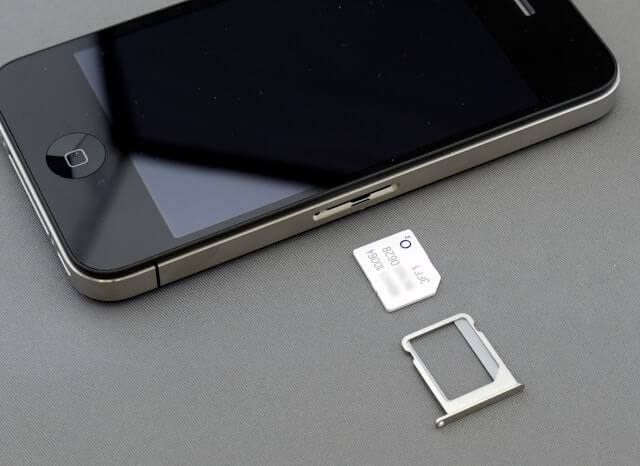
If you are wondering how to manage an eSIM on your phone - how to activate it, switch it, or delete it - this guide covers everything you need to know.
How Do I Know If My Phone Is eSIM Compatible?
Before you can use an eSIM, you will need to confirm whether your phone is compatible. Not all devices support eSIMs, although most newer models do.
Apple introduced eSIM compatibility starting with the iPhone XS, and every model since has continued to support it. Google's Pixel 3 and newer, Samsung Galaxy S20 and later, and many Motorola, Huawei, and Oppo phones also include eSIM support.
Most modern smartphone from all major phone manufacturers generally support eSIMs. That said, make sure to check if your phone supports one before you purchase it.
One of the easiest ways to check is through your phone's settings.
On an iPhone, open the settings app, then go to cellular. Then look for an option called “Add cellular plan” - if you see this menu item, then your iPhone is eSIM compatible.
On an Android phones, go to settings, then look under network and internet. If there is an option to “Add carrier” or “Download SIM”, then your Android phone is eSIM capable.
How Many eSIMs Can A Phone Have?
Many modern mobile devices often have limits on how many eSIMs can be used concurrently, but the good news is that they do have support for storing multiple eSIM profiles.
For example, the latest iPhones can store eight eSIM profiles, but allow the use of only two profiles at any given time. On the other hand, most Android phones that support eSIM technology can only keep one or two eSIM profiles active simultaneously.
The ability to switch mobile carriers and handle separate personal and business numbers by relying on eSIMs is particularly beneficial, especially whilst traveling overseas.
How To Activate An eSIM?
You can easily activate an eSIM after having the necessary details from your eSIM provider.
Most of the times, eSIM activation is handled via an activation code or QR code provided by your eSIM provider, using their mobile application, or sometimes, rarely though, via customer assistance.
Most eSIM providers will provide you a QR code or activation code to active their eSIM. You may also have to download their mobile app for easy setup and activation.
Once you have the necessary details, you can simply scan the QR code or manually input the details within your phone's settings to activate an eSIM.
Note that during the eSIM activation process, you need to have internet connectivity - either via a Wi-Fi connection or by using your mobile data - since you will need to download the eSIM digital profile and related information to your phone.
How Long Does It Take For An eSIM To Activate?
The eSIM setup, installation and activation should complete within just a few minutes after scanning the QR code or entering the activation code. In most cases, service becomes active immediately.
The provisioning process might require more time for some mobile carriers which could lead to brief delays. Restarting your device can help establish a connection if it does not connect to a local mobile network within a few minutes.
How To Check If An eSIM Is Activated In A Phone?
To check if you eSIM has been correctly activated or not, simply go to the network settings on your phone.
On iPhones, go to settings, then cellular. You should see the new plan listed along with signal bars if it is active.
On Android devices, look under network and internet, then go to mobile network. If the eSIM profile appears with a connected status and signal indicator, your activation was successful.
How To Know If My eSIM Is Not Working?
The indicators of an eSIM not functioning correctly will be obvious as you would have no connection. Your screen could display “No service” or you might find that making calls, sending texts, and using mobile data is not possible.
Check your phone settings to make sure the eSIM is turned on when you experience this problem. Make sure your plan stays active and has not been canceled by the mobile carrier or the eSIM provider.
When all settings are correct, but the device still malfunctions, you can try to restart your phone. If the problem continues, contact your eSIM provider and they will likely reset your profile or provide you with a new activation code.
How To Set Up An eSIM?
Setting up an eSIM involves different steps depending on your phone's operating system. Most of the process is guided through your device's menu, and it is usually quick and user-friendly.
Setting Up An eSIM On iPhone
On an iPhone, go to launch settings, and then find the tab that says cellular.
Your phone will give you the option to scan the QR code that you got from your eSIM provider - to do this, simply point your phone's camera at the QR code. After scanning the QR code, your phone will prompt you to decide about activating the plan.
You will have the option to name your line with identifiers like “Work” or “Travel” and make it the primary line for voice calls, text messages, or data usage. The eSIM profile will be installed and activated after you confirm.
Setting Up An eSIM On Android
Android devices follow the same basic procedures across all brands, but may have minor differences in the user interface designs.
To start, go to settings and then select network and internet. Open the mobile network or SIMs settings and choose the option to create a new mobile plan.
Next, point your camera to the QR code - most Android phones will automatically launch the camera as soon as they detect a scannable QR code.
You can activate the new mobile plan by scanning your carrier's QR code with your phone's camera or manually entering the required details. Your phone will download the eSIM profile and enable it within a few minutes.
Setting Up An eSIM With QR Code
Nowadays, eSIM setup is mostly completed through QR code scanning. As soon as you have the QR code from the eSIM provider, navigate to your device's mobile network settings to select the option to download and add a SIM.
Note that it is essential to connect your phone to the internet, either via Wi-Fi or using an existing mobile data network.
Next, point your device's camera at the QR code provided by your eSIM provider to automatically download and install the eSIM profile. The system will ask you to activate the eSIM profile and allow you to customize its settings to match your personal preferences.
It is quick and easy to setup and activate an eSIM on most modern iPhones and Android phones. Scanning a QR code to setup an eSIM is the most popular way to activate an eSIM, and newer iPhones and Android devices both have native support for this.
How To Transfer An eSIM From One Phone To Another?
Transferring an eSIM from one phone to another is not difficult at all.
For example, to move an eSIM between an Android device and an iPhone, you must contact your carrier to have them transfer your eSIM by eSIM carrier activation or by giving a QR code. Many eSIM providers provide digital transfer capability through their app, but some require you to deactivate your existing eSIM and generate a new QR code for your device.
During a new iPhone device setup, Apple's system often identifies existing eSIMs, allowing you to transfer them to your new device. Both phones must stay near each other and be connected to the internet.
To transfer an eSIM to an Android device, you can either use your carrier's app to download it again or reach out to your carrier for assistance.
The easiest method to move an eSIM to a new device, regardless of brand, involves getting a new QR code from your eSIM provider and performing the eSIM setup process on the new device.
Note that you will also need to deactivate or delete the eSIM from your old phone before you can activate it on your new device. This step is needed since an eSIM can only be activated on a single device at a given time.
Can I Use An eSIM On A Locked Phone?
Using an eSIM from another provider on a carrier-locked phone will probably not function properly. This is because locked mobile devices can only work with network profiles from their associated mobile carrier, regardless of whether they use physical SIM cards or eSIM technology.
Therefore, before you can activate a eSIM from another provider, you need to unlock your phone completely.
To unlock your phone, you must meet the mobile carrier's requirements, which include paying off any balances and completing your contract agreement. After unlocking your phone, you will have the ability to use eSIM profiles from any provider for both domestic and international use.
How To Delete An eSIM?
At some point, you may need to delete an eSIM from your phone, either because the plan has ended or you want to free up space for a new one. Deleting the eSIM is done through your settings menu and the process is very simple and easy.
On iPhone, go to your settings and then cellular. Select the plan you wish to remove and tap “Remove cellular plan”.
On Android, go to network settings, and navigate to internet and then click on mobile network. Select the eSIM profile you with to delete and choose the option to delete or remove it. Your phone may ask for confirmation before you can continue.
What Happens If I Accidentally Delete My eSIM?
Accidentally deleting your eSIM does not mean the end of your mobile service, albeit it can be inconvenient. The good news is that you can easily setup and activate your eSIM again despite accidental deletion.
Some carriers allow you to reuse the original QR code or re-download the profile using their app. Others require you to request a brand-new activation code or QR from their customer support.
To avoid service disruptions, it is a good idea to save a backup of your QR code or take a screenshot of your activation details if possible. That way, if something goes wrong, you can reinstall the eSIM without needing to wait on your eSIM provider support.
If you do not have that information saved, contact your eSIM provider immediately. Most are equipped to issue a new QR code quickly and get you reconnected.
RemitFinder's Conclusion: Managing An eSIM On Your Phone Is Easy
As eSIMs continue to revolutionize how we stay connected, learning how to manage an eSIM on your phone is a handy skill that you will likely need at some point of time.
Whether you are a frequent global vacationer or a business traveler, you want to ensure you are connected to the digital world when abroad. That is where eSIMs come handy - forget the nightmares of paying hundreds on roaming charges! Simply use a cost-effective eSIM and enjoy fast and reliable network connectivity when traveling abroad.
From setup, install and activation of an eSIM on your phone to ongoing management to transferring an eSIM from one phone to another, we covered it all so you have all the knowledge you need to handle this innovative mobile connectivity tool.
Do You Need To Find A Reliable And Cost-Effective Data Plan For International Travel?
RemitFinder is an online service that helps you compare eSIM data plans from numerous eSIM providers. By comparing various eSIMs, you can get the best eSIM for your trip and ensure you stay connected when overseas. RemitFinder, thus, helps you to get the best eSIM for international travel.
Categories


Similar Articles

Which Mobile Phones Support eSIMs?
Find out which mobile phones support eSIMs. Check device compatibility and learn how to use eSIMs for travel and everyday connectivity.
How To Transfer eSIM From iPhone To Android
Learn how to transfer an eSIM from iPhone to Android. Follow step-by-step instructions, compatibility tips, and best practices for a smooth switch.
Can You Have Multiple eSIMs? The Complete Guide
Can you use multiple eSIMs on one device? Learn how it works, device compatibility, and how to manage multiple eSIMs for travel or everyday use.